



A guest calls asking about a watch left in Room 504. Your front desk checks a spreadsheet, asks housekeeping, and still can’t confirm. That moment of uncertainty costs you a guest’s trust.
Traditional lost and found management systems, paper logs, verbal handoffs, and scattered storage are slow, error-prone, and keep guests waiting for simple answers.
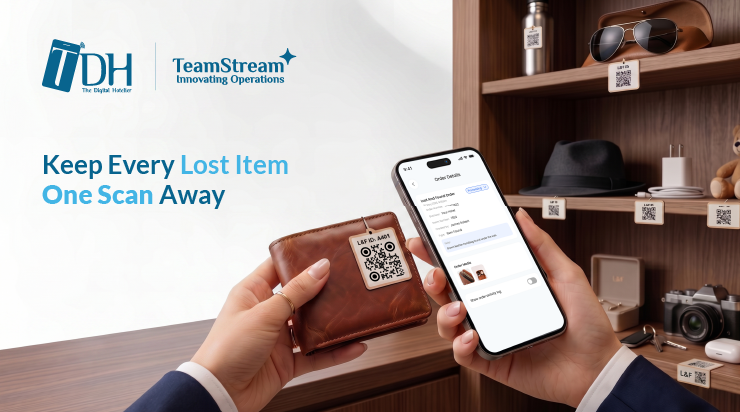
Lost & Found QR in TeamStream+ automatically generates a label for every item, letting staff scan the bag to pull the full record in seconds.
A Digital Record for Every Lost Item, Linked to a QR Code
Lost & Found QR links every recovered item to a unique QR code and a centralized digital record in TeamStream+. Staff can register, store, and retrieve lost items instantly.
No manual searching, no guesswork. It turns a back-of-house process that relies on memory and handwritten notes into a transparent, auditable workflow the entire team can access.

What your staff see when they scan an item’s QR label.
What Happens When an Item Is Found
Our lost and found system follows a seamless, step-by-step process to ensure every item is tracked, stored, and returned to its rightful owner with full accountability:
- Item discovered → Staff member finds a lost item in a guest room or public area
- Item logged → A digital record is created in TeamStream+, capturing description, location, finder, date & time
- QR code generated → System automatically creates a unique QR code linked to that item’s record
- Item stored → QR label is attached to the item or its container and placed in designated storage
- Instant retrieval → Any staff member scans the code to access the full item history in seconds
- Guest reunion → Item is confirmed, returned, and the record is updated to closed/returned
Before vs. After TDH Lost & Found QR
| Process | Before | After |
| Item Identification | Manual searching through storage | Instant QR scan reveals full item details |
| Staff Coordination | Siloed across departments | Real-time shared access through TeamStream+ |
| Response to Guest | Slow, uncertain, sometimes inaccurate | Fast, confident, backed by a full audit trail |
| Human Error Risk | High, incomplete entries, lost notes | Minimal, all data captured digitally |
| Inventory Checks | Time-consuming guesswork | Quick scan confirms every item instantly |
Lost & Found QR is live in TeamStream+ now. If you can’t find it or have questions, contact your account manager or email [email protected].
New to TDH? Book a demo to see it in action.